
.png)
Description
Download AI Rubric Generator – AI‑powered rubric creator for educators
Overview of AI Rubric Generator
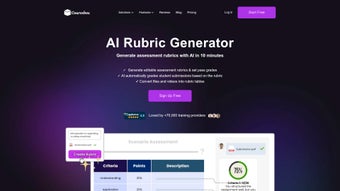
The AI Rubric Generator by Coursebox is a cloud‑native, AI‑driven application that transforms the traditionally manual process of rubric design into a rapid, data‑backed workflow. Built on large‑language‑model technology, the tool interprets learning outcomes, assignment briefs, or competency statements you provide and instantly produces a fully‑structured rubric complete with criteria, performance descriptors, weighting schemes, and optional multimedia placeholders. This automation not only slashes the time required to draft assessments—from hours down to seconds—but also promotes consistency across courses, departments, and even entire institutions. Because the platform lives in the browser, there is no heavy client‑side installation; a modern browser and an internet connection are all that’s required. Educators can work from a desktop in a faculty office, a laptop in a coffee shop, or a tablet on a classroom wall, and the responsive UI adapts seamlessly. Security is baked in: all data are encrypted in transit with TLS 1.3, stored with AES‑256 at rest, and the service complies with GDPR and FERPA standards, giving institutions confidence that student information remains protected. Integration points include native connectors for Canvas, Moodle, Blackboard, and other major LMSs, allowing rubrics to be pushed directly into course modules without duplicate entry. For schools that value brand consistency, a white‑label option lets you replace the Coursebox logo with your own, match institutional colour palettes, and even customise terminology. In short, AI Rubric Generator delivers a secure, scalable, and future‑ready solution that modernises assessment creation while freeing educators to focus on teaching rather than paperwork.
Key Features & Capabilities
- Instant Rubric Generation: Enter learning objectives or assignment prompts and receive a complete rubric—including criteria, descriptors, and point allocations—in under ten seconds.
- Multimedia Embedding: Add images, audio clips, video snippets, or interactive widgets directly into rubric cells, supporting authentic, project‑based assessment designs.
- AI Tutor Chatbot: An on‑demand conversational assistant that offers students real‑time hints, clarifications, and resource suggestions while they work through assignments.
- Responsive, Mobile‑First UI: The layout automatically optimises for desktops, laptops, tablets, and smartphones, ensuring a smooth editing experience on any device.
- White‑Label Branding: Replace the default branding with your institution’s logo, colours, and custom terminology for a seamless user experience.
- One‑Click LMS Integration: Pre‑built connectors for Canvas, Moodle, Blackboard, and other platforms let you import rubrics directly into course shells.
- Secure Cloud Architecture: End‑to‑end encryption, role‑based access controls, ISO 27001 certification, and regular third‑party security audits protect all data.
- Version Control & Audit Trail: Every edit is logged with timestamps and author information, enabling you to revert to prior versions or review changes for compliance.
- Export Flexibility: Download rubrics as PDF, CSV, or Excel files for offline grading, archival, or sharing with stakeholders who prefer non‑web formats.
- Automatic Updates: New AI model improvements, feature enhancements, and security patches are deployed server‑side, so users always have the latest version without manual downloads.
Installation, Usage & Compatibility
Getting Started – No Installation Required
AI Rubric Generator is delivered as a Software‑as‑a‑Service (SaaS) platform, which means you never need to download or install anything on your computer. Simply navigate to the Coursebox portal, register with your institutional email, and verify your account. Once logged in, the clean dashboard invites you to create a new rubric, import an existing assignment brief, or choose from a library of pre‑designed templates.
Step‑by‑Step Workflow
- Define Learning Outcomes: Paste or type the objectives you wish to assess.
- Select Assessment Type: Choose the format—essay, presentation, lab, or custom project.
- Generate with AI: Click “Generate Rubric” and let the engine propose criteria, performance levels, and weightings.
- Refine & Customize: Drag‑and‑drop rows, edit descriptors, attach multimedia, or adjust point values to align with your grading policy.
- Publish or Export: Push the final rubric to your LMS, share a public link with students, or download for offline use.
Cross‑Platform Compatibility
Because the solution runs entirely in the browser, it is compatible with all major operating systems—including Windows 10/11, macOS Ventura and later, Linux distributions, iOS 14+, and Android 9+. The responsive design ensures a consistent experience whether you are on a high‑resolution desktop monitor, a MacBook Retina screen, an iPad Pro, or an Android tablet.
Security, Updates & Support
All communications are protected with TLS 1.3, data at rest is encrypted with AES‑256, and the platform adheres to ISO 27001 and SOC 2 compliance frameworks. Updates are applied automatically on the server side, so you always benefit from the newest AI models and security patches without any manual effort. Support is available 24/7 via email, live chat, and an extensive knowledge base that includes video tutorials, best‑practice guides, and community forums.
Pros, Cons, FAQ & Conclusion
Pros & Cons
- Pros:
- Generates complete rubrics in seconds, dramatically reducing preparation time.
- AI‑driven consistency minimizes grading bias across multiple instructors.
- Rich multimedia support aligns assessments with modern, project‑based learning.
- Seamless LMS integration eliminates duplicate data entry and streamlines workflow.
- Responsive design enables on‑the‑go editing from any device.
- Cons:
- Requires an internet connection; offline editing is limited to exported files.
- Advanced customisation features may have a short learning curve for new users.
- Pricing tiers for premium features could be a hurdle for independent educators.
Frequently Asked Questions
Is there a free version of AI Rubric Generator?
Yes. Coursebox offers a limited‑feature free tier that allows up to five rubric generations per month. For unlimited access and premium integrations, a paid subscription is required.
How is student data protected?
All data are encrypted in transit with TLS 1.3 and at rest with AES‑256. The platform complies with GDPR, FERPA, and ISO 27001, and role‑based permissions ensure only authorised staff can view or edit assessment content.
Can the generated rubrics be exported?
Yes. Rubrics can be downloaded as PDF, CSV, or Excel files for offline grading, archival, or sharing with stakeholders who prefer non‑web formats.
Does the tool integrate with my LMS?
Absolutely. Pre‑built connectors exist for Canvas, Moodle, Blackboard, and other major platforms, allowing one‑click import of rubrics into course modules.
What support options are available for users?
All subscribers receive 24/7 email support, live chat during business hours, and access to a comprehensive knowledge base with video tutorials, best‑practice guides, and a community forum.
Conclusion & Call to Action
In today’s digital classroom, assessment quality directly influences student success, and the AI Rubric Generator equips educators with a powerful, AI‑enhanced ally to meet that challenge. By automating rubric creation, supporting rich multimedia, providing real‑time tutoring, and integrating seamlessly with existing LMSs, the platform delivers both efficiency and pedagogical depth. Whether you are a university department seeking uniformity across hundreds of courses or a high‑school teacher aiming to modernise project assessments, this tool offers the flexibility, security, and scalability required for modern education. Ready to streamline your grading workflow and deliver fairer, more consistent assessments? Download or start a free trial today and experience the future of rubric creation.
AI Rubric Generator dramatically reduces rubric development time while maintaining high instructional quality. Its LMS integration and multimedia capabilities are true game‑changers for contemporary teaching.
Guides & Tutorials for AI Rubric Generator by Coursebox
How to install AI Rubric Generator by Coursebox
- Click the Preview / Download button above.
- Once redirected, accept the terms and click Install.
- Wait for the AI Rubric Generator by Coursebox download to finish on your device.
How to use AI Rubric Generator by Coursebox
This software is primarily used for its core features described above. Open the app after installation to explore its capabilities.
User Reviews for AI Rubric Generator by Coursebox 0
No reviews found




